
v0.35 – v0.36 Release: A Guided First Day, and Smarter Beyond the Console

Updated October 27 for v0.36.25.
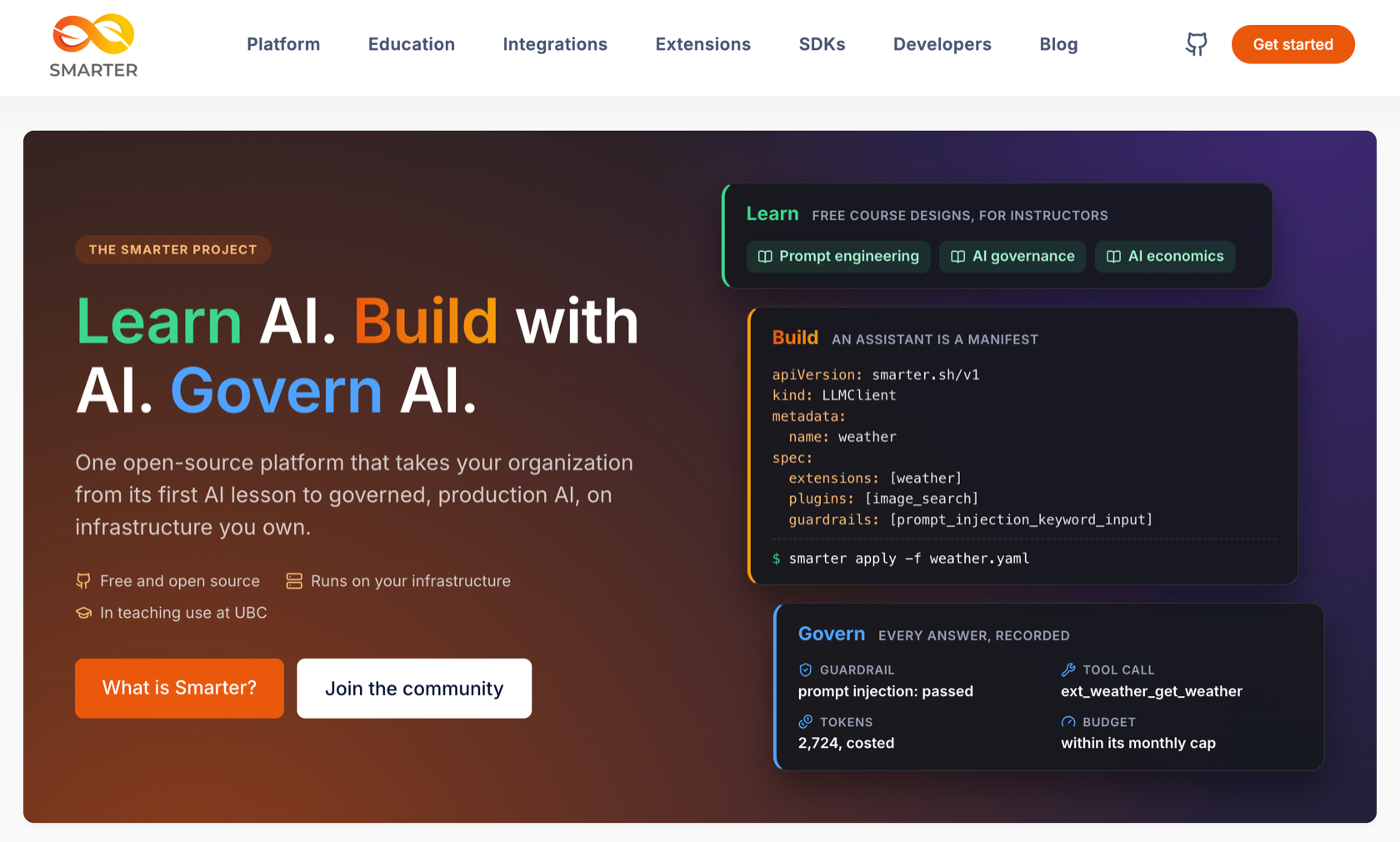
v0.33 and v0.34 were about the prompt engineer’s path from a first prompt to a deployed LLMClient. v0.35 and v0.36, released on October 20 and 21, are about two other people. The first is the new user, often a student who has never programmed, arriving from a welcome email with no idea where to start. The web console now greets them, tours them through the platform, points them to their first chat, and writes to them in their own language. The second is everyone outside the console. The dashboard’s widgets and Smarter Chat are now published from the platform’s own repository, at the platform’s version, so that any web page can show them. Along the way, the live chats that those pages embed became much more reliable.
Twenty-five patch releases followed, v0.36.1 to v0.36.25, from October 21 to 27. They are mostly about running Smarter well, with list pages that load at once, long chats that cost less, app servers that survive load, a safer init job and nightly backup, and logs that hold what matters and no personal data. v0.36.21 also fixes five security gaps, among them Secrets that other accounts could read and a system prompt that a chat client could replace. The example manifests also moved to a repository of their own, which anyone can contribute to. This post now covers them all, in the section on the patch releases below.
| Change | What it means for you |
|---|---|
| Welcome tour | An eight-step tour of the platform, the first time a user signs in, and again from the user menu whenever they like. |
| Onboarding hints | Spotlights that lead a new user to the LLM Clients page and the Get Weather example, then a 13-step guided tour of the Prompt Engineer’s Workbench. |
| Did you know? | 42 facts about The Smarter Project, one of them every day below the console’s title. |
| A new user menu, with Change Profile | A user who belongs to several accounts, e.g. a student in two courses, can choose which account the console acts as. |
| Emails in the user’s language | The welcome email and the password email are written in English, Spanish, French or Brazilian Portuguese, from the browser’s language at sign-up. |
| @smarter.sh/ui-widgets | The dashboard’s widgets, including the Architecture tab’s resource tree, on npm, for any React page. |
| Smarter Chat joins the platform | @smarter.sh/ui-chat now lives in the platform’s repository and is released at the platform’s version. |
| More reliable live chats | Tools in more than one round, sessions that belong to one LLMClient, CORS headers on errors, and images that load. |
| Security fixes (v0.36.21) | Secrets readable only within their own account, a system prompt that chat clients can’t replace, and no credentials in pod specs. |
| Fast resource lists (v0.36.12) | The LLMClient list went from 602 database queries to 61, and to 1 when cached. Every list has a Refresh button. |
| Example manifests in their own repository (v0.36.5) | smarter-sh/example-manifests and smarter-sh/stackademy hold the examples that every platform loads, and anyone can contribute to them. |
| Long chats that cost less (v0.36.9) | MCP instructions are sent once, not once per prompt, and the history sent with a prompt is capped. |
| Idle banter (v0.36.9) | While a slow prompt runs, the assistant shows a silly line instead of nothing. |
| Sturdier app servers (v0.36.6) | Timeouts everywhere, a concurrency limit, a liveness check that doesn’t touch the database, and pods that go live in seconds. |
| A safer init job and nightly backup (v0.36.5) | The init job runs only migrate and initialize_platform. The backup runs as a read-only user with a pinned, signature-checked AWS CLI. |
| Logs without personal data (v0.36.11 – v0.36.25) | Prompts and LLM payloads at DEBUG, emails, company names and the cloud account id masked, no false errors, and a much shorter init job log. |
| Separate Redis databases, leaner app pods (v0.36.24) | Clearing the cache no longer drops queued tasks or signs everyone out, and an app pod runs 2 uvicorn workers, one per core. |
| Scalar for the API docs (v0.36.17) | The OpenAPI contract is the one api reference. Swagger and Redoc are gone. |
A welcome for new users
New users arrive at the web console from the welcome email, and until now they found nothing that greeted them, explained the platform, or pointed them to where to start. In v0.35 the console opens with a welcome tour, a dialog of eight steps.
- Welcome, and what is already in the account, such as LLMClients, LLM Tools, guardrails, secrets, API keys and budgets.
- Hands-on generative AI with thousands of LLMs from nine providers, MCP, Agent Skills, and real prompts that are really billed.
- MCP Servers, RAG with Vectorstores, and self-hosted models with LLMHosts. The Vectorstore and LLMHost steps say plainly that their cloud infrastructure costs money for as long as it exists or runs.
- Built for production, at scale. Smarter runs on Kubernetes, with replicated web servers and workers, the cluster autoscaler, and a host with its own TLS certificate for each deployed LLMClient.
- Where to start links to the Get Weather example in the Prompt Engineer’s Workbench, the LLMClient list, docs.smarter.sh and smarter.sh.
The dialog follows the welcome email’s text and colors, so that it reads as the next page of it. It works from the keyboard and with screen readers, respects reduced motion, and fits a phone.
- Show at startup is a checkbox on the first step. Ticked, the tour opens by itself once each time the user signs in. Unticked, it stays closed. New users start ticked.
- Welcome Tour in the user menu opens it again at any time.
- Any device. Whether a user has seen the tour is stored on their profile, not in the browser.
Onboarding hints and a tour of the workbench
After the welcome tour, nothing told a new user where to go first, and the Prompt Engineer’s Workbench, where they spend most of their time, has a lot on it, with a chat, sandbox and production modes, and a Console with six tabs. v0.35 adds hints that lead the way, one step at a time.
- A sparkling spotlight on the sidebar’s LLM Clients link that says “Start building your AI masterpiece here.”
- Once the list loads, a spotlight on the Get Weather example LLMClient, with a note about chatting with it in the workbench.
- In the workbench, a 13-step guided tour of the chat, the message box, sandbox and production modes, the Console and each of its tabs, which the tour opens as it describes them. It is written for people who have never programmed.
Each hint shows until the user has acted on it once, on any device. The tour is in the workbench’s new Help menu, so it can be taken again, together with the technical references. The Help menu replaces two buttons that crowded the chat’s header.
Did you know?
New users had no light way to learn about The Smarter Project itself, such as how it is built, the community behind it, and where to read more. v0.35 adds 42 short facts, each checked against the project’s repositories and each linked to the page, repository or blog post it mentions. Every console page shows the fact of the day below its title, the same fact for everyone, and the welcome tour shows a random fact on a random step.
Emails in the user’s language
The web console has been translated into Spanish, French and Brazilian Portuguese for several releases, but the welcome email and the new user’s password email were English only, because they are sent outside a web request. In v0.36, every user has a preferred language, and both emails are written in it.
- Sign-up. Someone who signs up in the web console, with a password or with Google, GitHub or LinkedIn, gets the language their browser asked the console for. A French browser gets a French welcome email.
- Administrators set it with
--languagewhen they create a user, and can re-send the welcome email in another language.
python manage.py create_user \
  --account_number "####-####-####" \
  --username "newuser" \
  --email "newuser@example.com" \
  --first_name "New" \
  --last_name "User" \
  --password "securepassword" \
  --language fr
📖 User management · Translations
Change Profile, for one user in several accounts
A user can belong to more than one account, for example a student enrolled in two courses at once. Until now the console always acted as the newest of them, and the user had no way to choose. In v0.35 the user menu at the top right is rebuilt, and its new Change Profile item lists the user’s accounts and lets them switch. The console then acts as the chosen account on every page, for the rest of the session.
- Safe by design. A choice applies only to its own user, and a request with an API key always acts as the key’s own user.
- The rest of the menu. The language list now opens below its item, so it fits on a phone, and a rejected profile image upload explains why in the menu instead of an alert.
@smarter.sh/ui-widgets puts the console’s widgets on npm
smarter.sh, the project’s website, covers much of the same ground as the web console’s dashboard, but its own design had drifted far from the console’s. In v0.36 the dashboard’s ten widgets that show no account data are published as an npm package, @smarter.sh/ui-widgets. The dashboard imports them from it, and smarter.sh installs them from npm, so both show the same widgets, maintained in one place.
npm install @smarter.sh/ui-widgets
import { SelfHost, Sdk } from "@smarter.sh/ui-widgets";

<div className="keen">
  <div className="row g-5 g-xl-10">
    <div className="col-xl-8">
      <SelfHost />
    </div>
    <Sdk openapiUrl="https://platform.smarter.sh/docs/openapi/" />
  </div>
</div>;
- The widgets are the CLI, Contribute, Extensions, Instructors, Integrations, MCP Server, SDKs, Self-host, VS Code extension and What’s New cards.
- The resource tree. The Architecture tab’s tree of the resources that an LLMClient is built from is in the package too. smarter.sh now shows each built-in assistant’s tree beside its live chat.
- Small. It is one ES module and one stylesheet, about 18 kB gzipped, with React 19 as a peer dependency. The widgets are styled for the Keen Bootstrap theme, which the page provides.
- Released with the platform. Each platform release publishes the package at the platform’s version.
- Did you know? Since v0.36.4 the fact of the day is a widget too,
<DidYouKnow />, so smarter.sh shows the same fact as the console, and a fact added to the platform reaches the site with the next release.
📖 @smarter.sh/ui-widgets on npm
Smarter Chat joins the platform’s repository
Smarter Chat, @smarter.sh/ui-chat, the chat that every LLMClient’s page and embed uses, was managed in its own repository. Every change to the chat’s api therefore needed commits in two repositories, and the chat had a release process and version line of its own. In v0.36 its repository is archived, and the chat is a package of the platform’s repository, like the console’s other React apps.
- Released with the platform. Its version jumps from 0.16 to the platform’s, 0.36, and each platform release publishes it. Prereleases use the
alphaandbetanpm tags, which the embed script’s jsDelivr ranges ignore. - Pasting. Text pasted into the message input now arrives as plain text, without the font and colors of the page it was copied from.
More reliable live chats
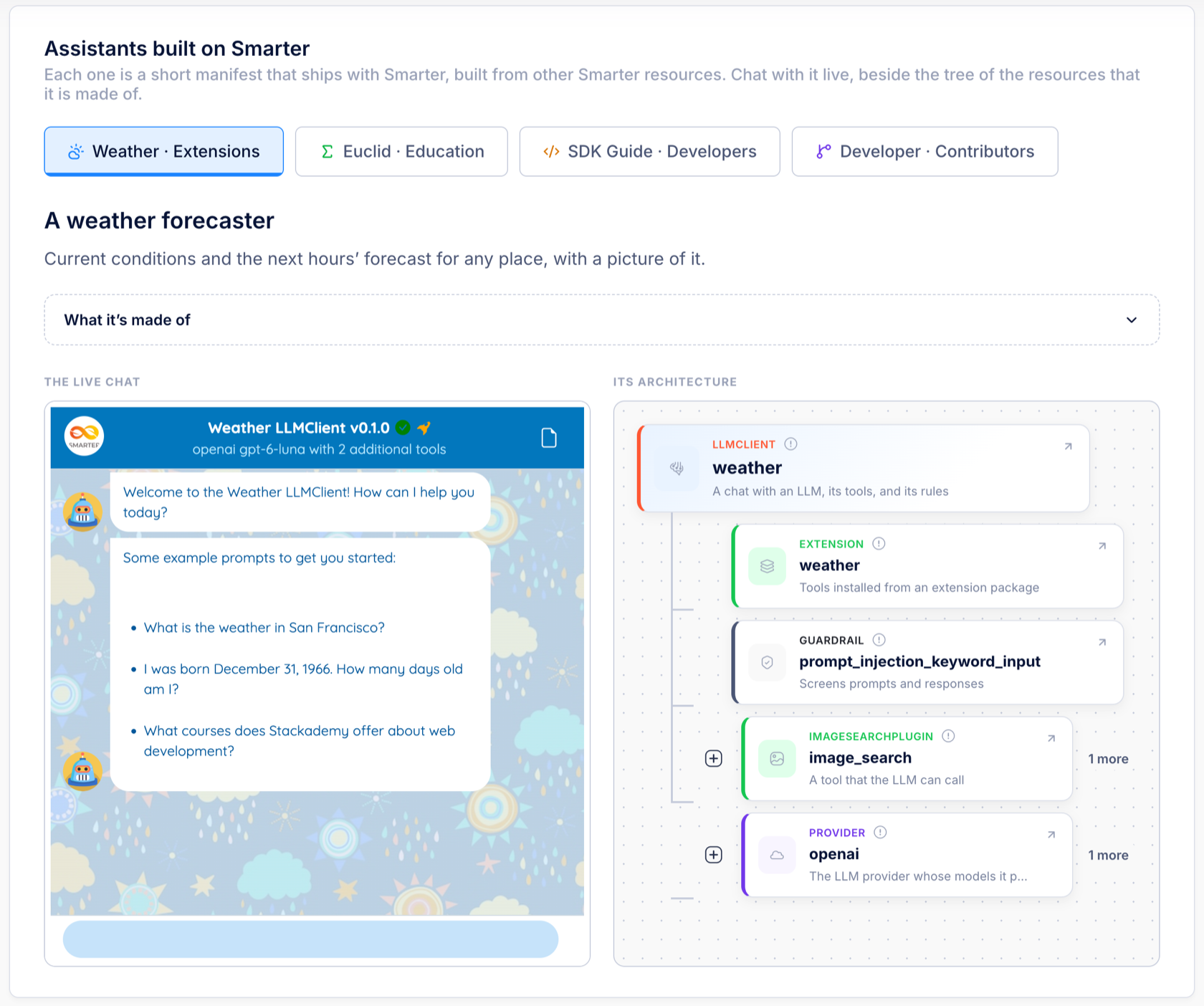
smarter.sh now runs four of Smarter’s built-in assistants live on its landing page, which made several old problems visible at once. v0.36.2 fixes them.
Tools in more than one round
The weather LLMClient is told to always show a picture of the place, but its answers often had none. The reason was in the platform. An LLM was offered its tools in the first request only, so it had exactly one round of tool calls. A model that asked only for the forecast in that round could never search for an image afterwards. A follow-up question, being a new prompt, did get one, which made the behavior look random.
Now, after each round of tool calls, Smarter asks the LLM again with its tools still offered, so it can get the forecast and then search for a picture of the place it names, or do one calculation after another. Up to four requests of a prompt offer tools. After the fourth, the LLM is sent the results without tools, so that it answers.
Each of those requests is a real LLM call, and each is charged. A prompt that uses several rounds of tools now costs more than one that uses one.
Sessions, errors and CORS
The workbench keeps a session_key cookie on the platform’s domain, and browsers send it to every deployed LLMClient’s host. For a visitor who was signed in to the console, this broke embedded chats in two ways.
- A malformed key returned a server error. Now it is ignored, and the visitor gets a new session.
- Another LLMClient’s key was adopted, so one assistant continued another assistant’s conversation. Now a session belongs to one LLMClient, and any other key starts a new one.
Two more fixes make failures easier to understand from a web page.
- CORS headers on every error. Some error responses, such as a 401 for an invalid API key, went out without CORS headers, so the browser reported a CORS error instead of the real one. The responses that the platform’s own middleware returns, before a request reaches the chat, now have them too.
- A 400, not a 500, for a bad prompt. A prompt whose body is empty or isn’t JSON is answered with
PromptChatApiErrorBadRequest, a 400.
An LLMClient that a web page embeds still needs that page’s origin in its manifest.
spec:
  config:
    prompt:
      allowedOrigins:
        - https://smarter.sh
📖 Chat api contract · Embedding Smarter Chat
Images that load
- Image search keeps more results. The image search plugin checks each image before giving it to the LLM. Some image hosts refused that check, with a rate limit or a refused HEAD request, though a reader’s browser would load the image, and a single slow host held up a whole batch for 10 seconds. The check now waits at most 3 seconds, looks like a browser’s image request, and keeps images whose host only rate limited the platform. Images behind hotlink protection are still left out.
- Smarter Chat loads images without a Referer. Many image hosts refuse an image that another site’s page asks for, or send a blank placeholder, which left an empty gap in a reply. An image that still fails is replaced by its description, which links to the image.
The patch releases, v0.36.1 – v0.36.25
v0.36.1 and v0.36.2 are covered above, with a fixed React build and the live chat fixes. The twenty-three that followed came mostly from what production showed, such as the logs of the Kubernetes init job, a load test of deployed LLMClients, pods that crashed during a deploy, and console pages that took several seconds to load. Here is what changed, largest first.
Security fixes
v0.36.21 closes five gaps in what a console user, a chat client, or anyone who can read the cluster could reach.
- Secrets stay in their account. Secrets followed the general rule for shared resources, under which a user may read their own account’s resources plus the platform account’s built-ins. But the platform account owns the platform’s own provider API keys. A signed-in console user could clone a platform Secret into their own profile and describe the clone to read its value, or name it in a connection whose url they control. Now a regular user reads only their own Secrets, staff their account’s, and superusers all of them. The built-in web search and image search plugins still use the platform’s keys, on the server, where Smarter fixes the endpoint that a key is sent to.
- The system prompt is the LLMClient’s. On a chat session’s first prompt, the platform used the whole message list that the client sent, and added the LLMClient’s system role only when the client sent none. A client could therefore replace the operator’s system prompt, and add invented earlier turns that no input guardrail scanned, since guardrails scan the latest user message. Now the platform builds a new session’s thread itself from the LLMClient’s system role, its welcome message and example prompts, and the latest user message. Anything else the client sent is dropped, and logged at WARNING with its count, never its content.
- Credentials out of the pod specs. The Helm chart wrote every value of its
envmap,SECRET_KEY, the database and AWS passwords and the LLM provider keys among them, into every Deployment, the init job and the backup CronJob, 39 copies in all. Anyone who could read those objects could read the keys. They now live once, in a Kubernetes Secret that the pods read withenvFrom, and a changed value restarts the pods. The init job no longer writes the database root password into its commands, and the platform’s database connection now goes through Smarter’s validated settings. - A bastion pod without the keys. The bastion pod ran
ubuntu:latestas root, installed its tools on every start, and received the platform’s whole environment. It now runs the platform’s own image at the app’s pinned tag, as a non-root user with every Linux capability dropped and no Kubernetes service account token, and receives only the database, backup and AWS settings it uses. - One name per custom-domain certificate. Registering a custom domain requested an ACM certificate for the domain and for
*.<domain>. That certificate is never served. It only proves that the domain is delegated to the platform, and the wildcard added nothing to that proof, so a new request names the domain alone.
📖 Secret · Guardrail security notes · Custom Domain · Smarter on Kubernetes
Resource lists that load at once
The web console’s resource lists, the LLMClient list above all, often took several seconds to load. Measured with 22 LLMClients, the LLMClient list ran 602 database queries, and still 311 when it was supposedly cached, because the cache held a lazy query that ran again on every request, and each row then cost 5 to 14 more queries for its owner, tags, delete permission and relations. v0.36.12 rebuilds all 14 list apis on one shared base class.
- Fewer queries. Each list declares the relations its rows show, which are loaded in one go, and asks once per page which rows the user may delete. The LLMClient list now takes 61 queries cold, Plugin 31 instead of 376, Guardrail 24 instead of 186, and LLMHost 6 instead of 222.
- One query when cached. Each page’s whole response is cached per user, for up to an hour (
SMARTER_LISTVIEW_CACHE_EXPIRATION, 3600 seconds by default). - Never stale. A list is invalidated whenever one of the rows it shows changes, however it changed, whether in the console, with
smarter apply, in the manifest editor or in a Celery task. Invalidating a list is a single cache delete, however many users and pages it has. - Instant on return. The browser keeps the last pages it saw, so a new tab or a return visit paints at once, shows a small Refreshing spinner, and then shows the fresh page. The browser’s copy is tied to the login, so the next user of the browser never sees it.
- A Refresh button at the top of every list, 16 pages in all, reloads the list with the latest changes, e.g. after a
smarter applyfrom the cli (v0.36.16). - Phones. The blue box that introduces each list is hidden below 768 px, where it pushed the list itself off the first screen (v0.36.12).
Example manifests and Stackademy in their own repositories
Each of the platform’s Django apps kept its example manifests in its own folder, and applied them with its own add_example_<kind> command, eleven commands in all. The examples now live in one community repository, smarter-sh/example-manifests, one folder per kind, whose pre-commit hooks check every manifest against its kind’s published JSON Schema. Stackademy, the example project of a fictional code academy, with its Secrets, Connections, plugins, LLMClients and Budget, has its own repository too, smarter-sh/stackademy. It shows how to manage a multi-resource AI project with git and GitHub (v0.36.3, v0.36.5).
manage.py initialize_platform applies both with load_from_github, which was rewritten for any repository of Smarter manifests.
python manage.py load_from_github \
  --url https://github.com/smarter-sh/stackademy \
  --account_number "####-####-####" \
  --deploy
- Any layout. It finds every manifest in the repository and skips other YAML with a warning. Folders are only for people.
- In dependency order. It applies Secrets before the Connections that use them, plugins and MCPClients before the LLMClients that use them, and Budgets last.
- Options.
--deploydeploys the repository’s LLMClients,--include_kindand--exclude_kindchoose kinds, and--skip_missing_referencesskips a manifest that names a resource this platform doesn’t have. - One failure doesn’t stop the rest. The command fails at the end with the list of failures, and also when the repository holds no manifest, instead of finishing quietly having applied nothing.
- Repository scripts. A repository can list scripts in
scripts/scripts.yaml, to run before or after its manifests. Stackademy uses one to create its course database. Scripts run only with--run_scripts, whichinitialize_platformpasses, and see only the database server’s address and administrator, never the platform’s cloud or LLM provider credentials.
scripts:
  - path: create-course-database.sh
    stage: pre
    timeout: 300
📖 Example manifests · Stackademy
Long chats that cost less
A load test of deployed LLMClients found prompts of up to 117,000 tokens. One request’s system prompt held the Smarter Project MCP server’s instructions 26 times, because each prompt added them again to the history that the previous prompts had already saved, and a selected plugin’s system role was added the same way. The whole history was also sent with every prompt, so each prompt in a long chat was slower and more expensive than the last (v0.36.9).
- MCP instructions once. They are replaced, not appended, on every prompt, which also repairs chats saved with duplicates.
- Plugin system roles once. A plugin’s role is added only if it isn’t there already.
- A cap on the history sent. A prompt sends at most about 100,000 characters of history, about 25,000 tokens. The oldest whole turns are left out first, so a tool call is never separated from its result, and the system prompt and the latest turn always stay. The saved history, the workbench and the chat window keep every message.
Something to read while a prompt runs
A prompt that calls tools or MCP servers can run for 30 seconds or more. Until now the user saw only the typing indicator. Since v0.36.9, after three seconds, the assistant replies with a bubble of silly banter beside a twinkling sparkle, e.g. I’ll flabberjabber the Pleistocene doohickey as fast as I can, promise…, which changes every ten seconds and is replaced by the answer. A prompt that answers within three seconds shows none. The sentences are translated into Spanish, French and Brazilian Portuguese. The made-up verbs, the 103 silly nouns and the 107 scientific adjectives that v0.36.10 added are not.
Sturdier app servers
While an LLMClient was being deployed, several of a production platform’s app server pods crashed and restarted, and a new pod took about 90 seconds to go live. The pods left no reason behind, so v0.36.6 fixes every weakness that a review of the code and local measurements found.
- Timeouts. Redis, MySQL and SQL plugins’ queries had none, so one stalled backend could hold every request forever. Redis now gives up after 2 to 5 seconds, MySQL connections after 5, the app server’s database reads after 60, and a SqlConnection’s queries after its own
timeout, 30 seconds by default. - A concurrency limit. Each uvicorn worker answers 503 above 100 concurrent connections, instead of growing threads until the pod runs out of memory.
- A liveness check that doesn’t touch Django.
/healthz/is answered before Django, with no database or cache, so a busy pod is no longer restarted, which used to move its load onto the others. Readiness still goes through Django. - Fast starts and clean stops. New probe timings let a pod go live in 10 to 15 seconds instead of about 90, and a short wait before shutdown lets the load balancer stop sending requests first.
- Scaling on memory too. The autoscaler also scales on memory, not only CPU, and a PodDisruptionBudget keeps all but one app pod running during node maintenance.
- Proxy streams stream. A Proxy’s streamed completion used to reach the client all at once, at the end. Now it arrives as the provider sends it.
- A lighter chat config api. The api that every Smarter Chat page load calls makes 5 queries instead of 8, and checks rate limits first, so a throttled request no longer does all the work before it’s refused.
- Celery pods sized to real use (v0.36.14). The worker and beat pods were evicted when their node ran low on memory, because they used up to twice the memory they requested. Their memory requests now match their real use.
Separate Redis databases, and right-sized app pods
- Clearing the cache no longer signs everyone out. The Celery broker, the Django cache and user sessions all shared Redis database 1, so
manage.py reset_cache, which empties the cache’s database, also deleted every queued Celery task, the beat schedule and every user’s session. Since v0.36.24 the broker uses database 0, the cache database 1 and sessions database 2, on the same server. The sessions url is derived fromCACHES_LOCATION, so no new setting is needed. - Two uvicorn workers per app pod. A worker is one Python process, which runs on at most one core and uses about 420 MB at rest. The 4 workers that v0.36.6 set competed for a pod’s guaranteed half core, and used about 78 percent of its memory request while idle. Since v0.36.24 an app pod runs 2 workers, one per core, requests 1 CPU and 1280Mi, and is limited to 2 CPU and 2Gi. More capacity comes from more pods, through the autoscaler. Django’s synchronous code runs on a thread pool inside each worker, so a worker that waits on an LLM provider still serves other requests. The change has not been load tested yet.
- Warnings that fit the pod. Every healthy production pod warned, once per worker, that it had less than the recommended 4 GiB of memory, a threshold copied from the local containers. The recommendation now scales with the worker count, 0.5 GiB per worker plus 0.5 GiB, and only the first worker warns (v0.36.25).
- A startup banner. The web server prints the Smarter logo beside its host, version, environment, database, cache, broker, sessions store and log level, with passwords masked, once per server rather than once per worker (v0.36.23, v0.36.24).
NO_COLORturns its colors off.
A safer init job and nightly backup
The Helm chart’s init job had drifted from its purpose. Beside initialize_platform, it ran two one-time migrations long since done, loaded Stackademy a second time only to deploy it, and ran makemigrations, which could have written a missing migration inside the pod and applied it to the production database. v0.36.5 and v0.36.14 make it run only migrate, then initialize_platform, which now does all of a platform’s initialization in one place.
- It deploys the example LLMClients itself, everywhere except a local environment, where deploying would create real DNS records for nothing.
- No password on the command line. It reads the admin credentials from
SMARTER_ADMIN_USERNAMEandSMARTER_ADMIN_PASSWORD, already in every pod, and fails with exit code 1 when the password is missing, where it used to report success. - No passwords in the log.
create_userno longer prints a password it generated. The new user’s password email sends it, and--show_passwordprints it for an operator who runs the command by hand (v0.36.14).
The nightly database backup ran as root, received every secret the platform has, and wrote thousands of lines of package-manager output into its emailed log.
- A read-only user. Set
SMARTER_MYSQL_BACKUP_PASSWORD, and the init job createssmarter_backupwith only the grants a dump needs, and the backup runs as it. The backup container receives only the variables it uses, and never the root password when the backup user is set. - Its own bucket. The backup goes to
s3://<SMARTER_S3_BUCKET>/backups/sql, or todatabaseScheduledBackup.s3Uri, instead of a bucket hardcoded in the chart. - Checked before upload. The dump must end with its completion line, and the archive must pass
gzip -t. The password goes tomariadb-dumpin a private option file, not on its command line. - A pinned, verified AWS CLI. It is version 2.37.9, whose signature is checked against the AWS CLI team’s key before it’s installed. The setup installs only what a backup needs, and prints 4 lines instead of thousands.
📖 Smarter on Kubernetes · User management
Logs that hold what matters
Reviews of the init job’s log found that most of it was noise, and that the noise hid what mattered, and some of what it held should never have been there (v0.36.4, v0.36.7, v0.36.11, v0.36.14, v0.36.16, v0.36.17, v0.36.22 – v0.36.25).
- No personal data at INFO. LLM requests and replies, users’ prompts, tool results and plugin manifests are logged at DEBUG. User profiles appear in logs with their email and company name masked, e.g.
j****@example.com, and an API key’s first characters are no longer logged when it is created. The workbench’s Sandbox mode still streams the full payloads to its Console. Production mode no longer does. - No false errors. An exception that the code expected and handled, e.g. an optional MCPClient that was skipped, is no longer logged as an ERROR, and expected states such as an anonymous visitor to a deployed LLMClient are no longer warnings. A provider whose account is suspended is now logged as an error, where before it appeared only in a command’s output.
- No unchanged saves. Re-applying an unchanged manifest no longer saves the row, which used to fire every receiver and invalidate the same caches again on every deploy. Initializing providers alone wrote about 570 lines per deploy.
- The console’s server logs keep up. The Redis log handler dropped more than 2,400 records in under a minute when the platform was busy, because it published them one at a time. It now publishes in batches.
- Consistent lines. About 290 log calls across 110 modules now start with the same origin prefix, and AWS client libraries no longer log their credential lookups. Client disconnects no longer log a
CancelledErroron the Python builds that reported it differently. - A shorter init job log (v0.36.22 – v0.36.25). About 60 percent of its lines were banner dividers, because each of the roughly 100 manifests that
load_from_githubapplies printed a full command banner. A command run inside another now logs a single DEBUG line, a Secret apply logs one INFO line instead of four, and the admin account and seed users are saved only when they changed. The cloud account id is masked to its last four characters, the kubeconfig step no longer prints the cluster’s ARN, which holds it, and a saved account no longer logs its company name, which is often a person’s.
Scalar for the API docs
Every platform had two descriptions of its api. drf-yasg generated Swagger and Redoc pages in OpenAPI 2, and left out every route that isn’t a DRF view, such as /api/v1/mcp/ and the LLMClient prompt routes. The committed OpenAPI 3.1 contract already documents every route, with typed bodies, and a test fails when one is missing. In v0.36.17 it is the only api reference, and /docs/openapi/ renders it with Scalar, served by the platform and set up to call none of Scalar’s hosted services. /docs/swagger/ and /docs/redoc/ answer 404, and their links are gone from the console and the site menu.
📖 OpenAPI
@cache_results, hardened
v0.36.18 to v0.36.20 rework @cache_results, the decorator that caches most of the platform’s lookups, after a review of whether it could be published on its own. It no longer crashes on an argument it can’t hash, keeps functions of the same name in one module apart, supports async functions and classmethods, refuses instance methods, never writes cached results to the log, and lets only one thread compute a missing entry. An argument it can’t key safely, such as a model row, now runs the call uncached and logs an error, instead of being keyed by its string form. The decorator now depends only on Django, and has since been released as its own MIT-licensed package, cache-results.
📖 Release cache-results v0.1 · Smarter’s @cache_results() decorator
Since v0.36.21 Smarter installs that package, cache-results 0.2.0, from PyPI, and keeps only the two hooks that need Pydantic and Smarter’s settings. In the same release it takes its list of manifest kinds and the journal’s enums from smarter-types, a new package that the Python SDK also depends on, so the platform and the SDK agree on which kinds exist.
Behavior changes you will notice
- The old Account pages are retired. The Keen-based Account UI,
/dashboard/account/dashboard/and its pages (overview, settings, users, activity, logs, billing, statements, API keys), now answers 404, and its links are gone from the sidebar and the user menu. Profile images still work. - Management commands fail cleanly. A
manage.pycommand that fails now prints one line that says what went wrong, and exits with status 1, instead of a Python stack trace. Many of the account commands now say which option is missing, e.g.--account_number. Add--tracebackto see the full stack trace. Some commands used to exit with status 0 after a failure, so a deployment’s init job didn’t notice. create_smarter_adminemails the new admin API key to the admin user’s address, and no longer prints it, so the key no longer appears in deployment logs.- The Smarter Project MCP server no longer searches the archived smarter-chat repository. Smarter Chat’s code is in the smarter repository, which it already searches. Its per-repository endpoint
/api/v1/mcp/smarter-project/smarter-chat/now answers 404, so remove it from any client that lists it. - Swagger and Redoc are gone (v0.36.17).
/docs/swagger/,/docs/swagger.json,/docs/swagger.yamland/docs/redoc/answer 404. Use/docs/openapi/, or the document itself at/docs/openapi.json. - The
add_example_*commands are gone (v0.36.5).initialize_platformloads the examples from smarter-sh/example-manifests instead.add_example_extensionsis renamedinstall_official_extensions, and works as before. The api routeplugins/add-example-plugins/<user_id>/, which any signed-in user could point at another user, is removed. create_userno longer prints a generated password (v0.36.14). Use the new user’s password email,--show_password, ormanage.py changepassword.- The workbench’s Production mode no longer shows the full LLM requests and replies in its Console (v0.36.11). Sandbox mode still does.
- Secrets of your account admin (v0.36.21). A regular user can no longer read, clone or attach their account admin’s Secrets, or the platform’s. Staff and superusers are unchanged within their account.
- A chat client can’t set a new session’s history (v0.36.21). On a session’s first prompt the platform uses only the latest user message, and takes the system prompt, welcome message and example prompts from the LLMClient. A client that sent its own system prompt should move it into the LLMClient’s manifest.
Web console improvements
- Architecture tab. An LLMClient without an API key gets a new next step, Add an API key, which explains that its deployed URL is otherwise public, with every prompt charged to its owner.
- Architecture tab. An Extension’s card is labeled with its name, e.g.
weather, instead of an internal identifier. - Prompt Passthrough. The Request and Response editors have a toolbar to wrap long lines, fold a large JSON body down to its top-level keys, and copy the text.
- Sidebar. The LLM Clients link, the console’s most important, has its icon in the theme’s primary color.
Fixes and operations
- API contract. The committed JSON Schemas and OpenAPI document were regenerated for Pydantic 2.14, which describes decimal values differently. The change loosens one pattern and breaks no client. The SDKs pick it up with
make contracts. - Extensions widget. It stays a light card on a page in dark mode, as the console’s other illustrated widgets do.
- React build. Smarter Chat’s library is built before the apps that import it, which fixed a failed build after its folder was renamed.
- Onboarding hints. A click on the spotlighted LLM Clients link, made right as its note appeared, could be lost, so the hint never went away. The click is now listened for before the note shows (v0.36.8).
- Plugins. Creating a plugin that has no user profile to own it now fails with a clear error, instead of a Python
NameError(v0.36.5). A plugin broker could store a raw manifest instead of a validated one, and a warning about an unresolved plugin could write to the database. Both are fixed (v0.36.15). - List pages with images. A cached list page that shows a file, such as a Provider’s logo, failed when media is stored on the platform’s own file system. Its urls are now absolute, as before (v0.36.13).
- Chat failures. A failed chat response with a malformed round number no longer raises inside its own failure handler (v0.36.3).
- Helm chart. The chart’s maintainer field uses the key that
helm lintaccepts again (v0.36.3). - Manifest pages. The browser tab of every manifest detail page, e.g. a Provider’s, showed the heading’s HTML markup. It now shows the resource’s name (v0.36.25).
Upgrading
- Migrations. v0.35 and v0.36 add three migrations that only add a column or a table, recording when a user was welcomed, a user’s preferred language, and the onboarding hints a user has acted on.
manage.py migrateapplies them. - Existing users see the welcome tour, the onboarding hints and the workbench tour once after this release, and prefer English until their language is set. Set it with
create_user --language. - Waffle switches.
enable_web_console_did_you_knowandenable_web_console_onboarding_hintsare on by default. Turn them off in the Django admin to hide the facts or the hints. - The admin API key email.
create_smarter_adminnow sends the key’s value to the admin user’s email address. Make sure that address receives mail, and that SMTP is configured. If the email can’t be sent, the command says so and gives thecreate_api_keycommand that makes another key. - Smarter Chat’s version. The documented embed url,
https://cdn.jsdelivr.net/npm/@smarter.sh/ui-chat@0/dist/embed.js, follows the new versions by itself. If you pinned an exact 0.16 version, or installed the package from npm with^0.16, move to the platform’s version. - MCP clients. Remove
/api/v1/mcp/smarter-project/smarter-chat/from any client that lists it. - SDKs. Run
make contractsin smarter-python, smarter-nodejs and smarter-golang to pick up the regenerated schemas. - Two more migrations (v0.36.6) add an index on
session_keyto two tables that every cli prompt reads,llmclient0011 andllmtool0008. MariaDB builds them without locking the tables, but the first deploy takes longer on large tables. - More memory per pod. An app pod now requests 1 CPU and 1280Mi of memory, with limits of 2 CPU and 2Gi, and runs 2 uvicorn workers (v0.36.24). The Celery workers’ requests below are unchanged since v0.36.14. The Celery workers request 1280Mi instead of 512Mi, and beat 512Mi instead of 256Mi. Check that your node group has room, or pods will stay Pending.
- New Helm values are
app.workers(2),app.limitConcurrency(100),app.databaseReadTimeout(60),app.podDisruptionBudget,hpa.targetMemoryUtilizationPercentage(90), anddatabaseScheduledBackup.s3UriandawsCliVersion. - The backup user. Create the GitHub secret
SMARTER_MYSQL_BACKUP_PASSWORD, in hex, since the init job puts it inside SQL quotes. Until it exists, the backup runs as root, as before. Backups now go tos3://<SMARTER_S3_BUCKET>/backups/sqlunless you setdatabaseScheduledBackup.s3Uri, so check where yours land. - No more charset conversion. The one-time
convert_database_charsetcommand is retired. Before you deploy, confirm that no table of your database is stillutf8mb3. - Admin credentials.
initialize_platformreadsSMARTER_ADMIN_USERNAMEandSMARTER_ADMIN_PASSWORD. Outside a local environment, a missing password now fails the init job. - New settings are
SMARTER_LISTVIEW_CACHE_EXPIRATION(3600 seconds) andSMARTER_DATABASE_READ_TIMEOUT(0, no timeout, except in the app pods).SMARTER_API_NAMEandSMARTER_API_DESCRIPTION, which only drf-yasg read, are removed, and a deployment that still sets them is unaffected. - Cache keys change once. After the upgrade, every
@cache_resultsentry misses once and is cached again under its new key. - The env Secret (v0.36.21). The first deploy creates the chart’s new env Secret and moves every pod to
envFrom. A hand install of the chart now defaultsDJANGO_SETTINGS_MODULEtosmarter.settings.prod, a module that exists. Setenv.SMARTER_MYSQL_HOSTandenv.SMARTER_MYSQL_PASSWORD, which replace the quickstart’sMYSQL_HOSTandMYSQL_PASSWORD. Outside a local environment the database password has no default. - A private bucket for backups. Point
databaseScheduledBackup.s3Uriat a private bucket. Without it, backups fall back to the environment’s bucket, which may serve public static files. - Redis databases (v0.36.24).
CACHES_LOCATIONends in/1, andCELERY_BROKER_URLandCELERY_RESULT_BACKENDin/0. On the first deploy, tasks still queued in database 1 are left behind, RedBeat rebuilds its schedule, and users sign in once more. - Custom-domain certificates. Those issued before v0.36.21 also name
*.<domain>. They keep working. You can delete them by hand, and the next verification requests a certificate for the domain alone. - Scripts that called
add_example_*ordeploy_example_llmclients. Useinitialize_platform, orload_from_githubwith the repository’s url.
What’s next
Several follow-ups from these releases are known. The console’s language menu will also update a user’s preferred language, users created by an administrator in the console or the REST API will get a language, and Smarter Chat will get a setting for its border, so that a page that embeds it can match its own design.
The patch releases left a few more. The SqlConnection broker still saves its row on every apply, Smarter’s JSON helper still turns some values into plain text where its encoder would format them properly, and the clusters need metrics-server, without which the autoscalers can’t read CPU use.