
Download Your AI Resources From Smarter

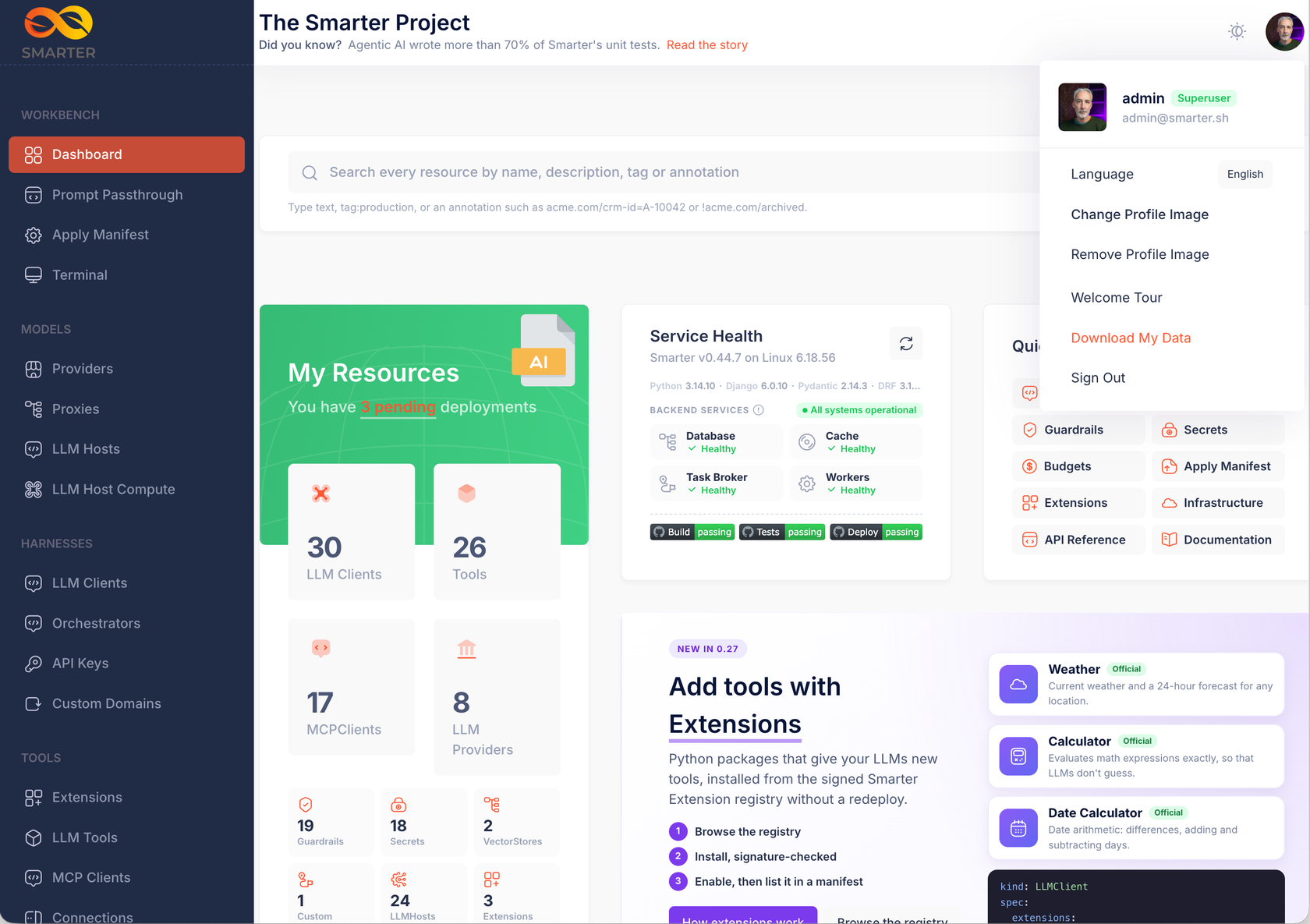
Smarter’s web console now has a Download My Data item in its user menu. One click gives you the YAML manifest of every resource that you own, in every account that you belong to, zipped into one file and emailed to you as a link that works for 24 hours. It shipped in Smarter v0.44.
Everything you build on a Smarter platform is already described by a manifest. An LLMClient, a Plugin, a Guardrail, a Secret, a Custom Domain, each one is a Smarter Application Manifest (SAM) that you can read with smarter describe and recreate with smarter apply. What you couldn’t do, until now, was get all of them at once. Short of running smarter describe on each resource, one at a time, in each account, there was no way to take a copy of what you’d built. If you’ve built thirty LLMClients and a few dozen tools around them, that’s an afternoon you’d rather spend doing something else.
What you get
The zip file holds one YAML file per resource, laid out as <account number>/<kind>/<name>.yaml, plus a README. Each manifest is exactly what smarter describe prints for that resource, so there’s no new format to learn and nothing to convert. The README lists every file and tells you how to use it.
smarter-data-<username>-<date>/
├── README.md
└── <account number>/
    ├── LLMClient/
    │   ├── <name>.yaml
    │   └── ...
    ├── Plugin/
    ├── Guardrail/
    └── Secret/
“Every resource that you own” means exactly what your lists in the web console show as yours. The export asks each list for its own query with the “owned” filter, the same one you see when you open LLM Clients, Guardrails or Secrets in the console. A resource that appears on two lists is included once.
There are three things you might do with it.
- Keep it. A dated snapshot of everything you’ve built, on your own disk.
- Put it under version control. Commit the folder to a Git repository, and you have a history of your platform’s configuration that you can diff and review like any other code.
- Apply it somewhere else. Each manifest is ready for
smarter apply -f <account number>/<kind>/<name>.yaml, on the same platform or on another Smarter platform entirely.
That last one is the reason the feature exists. Smarter is open source, and your work on it shouldn’t be stuck on any one installation of it.
What you see
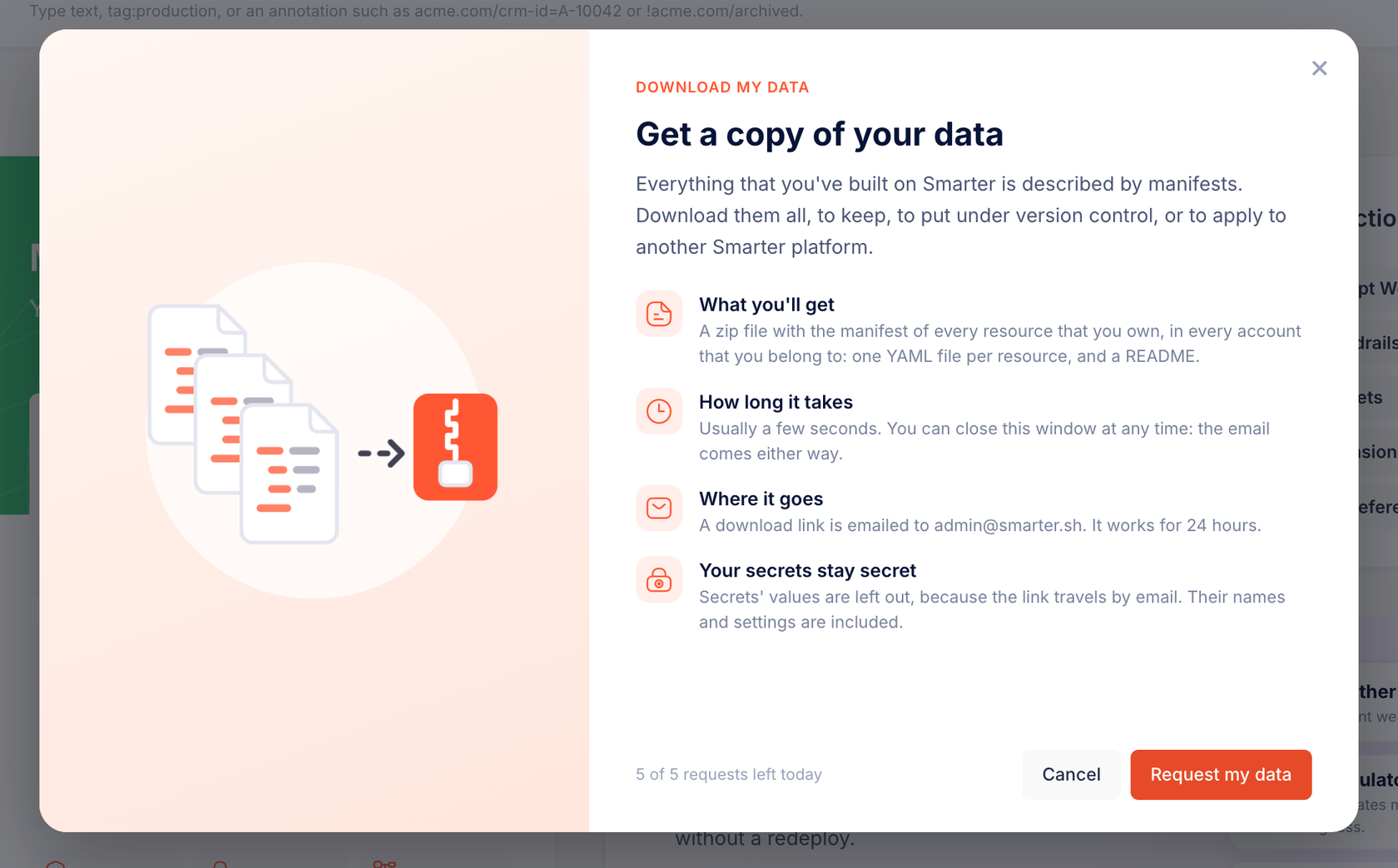
Download My Data opens a dialog that explains what’s about to happen before anything does. It says what the zip file will hold, that it usually takes a few seconds, which address the link will go to and how long it works, and that Secrets’ values are left out. It also tells you how many requests you have left today.
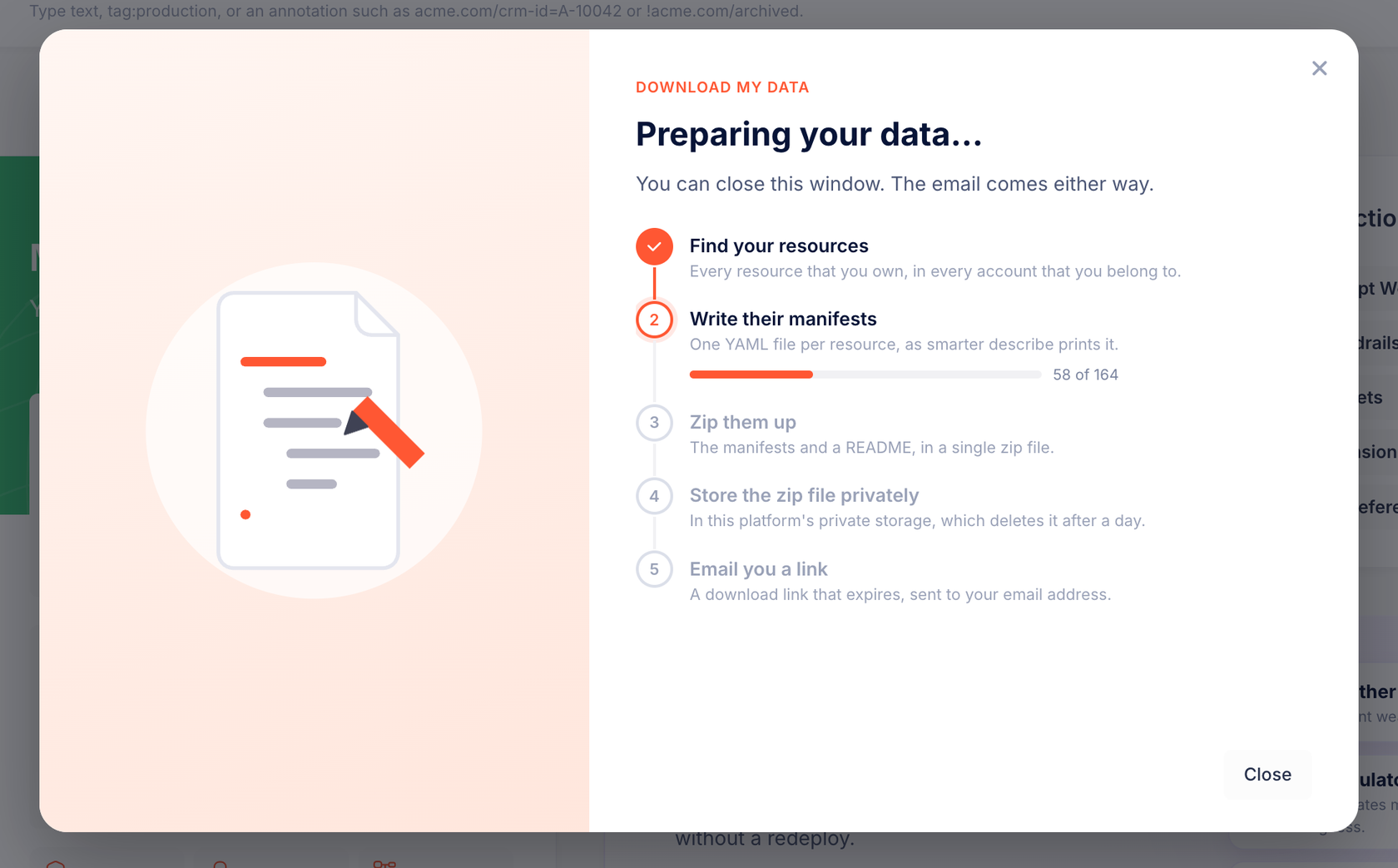
Click Request my data, and the dialog follows the export through its five steps, with an illustration for each one.
| Step | What happens |
|---|---|
| Find your resources | Every resource that you own, in every account that you belong to |
| Write their manifests | One YAML file per resource, counted as each one is written |
| Zip them up | The manifests and a README, in a single zip file |
| Store the zip file privately | In the platform’s private storage, which deletes it after a day |
| Email you a link | A download link that expires after 24 hours, sent to your account’s email |
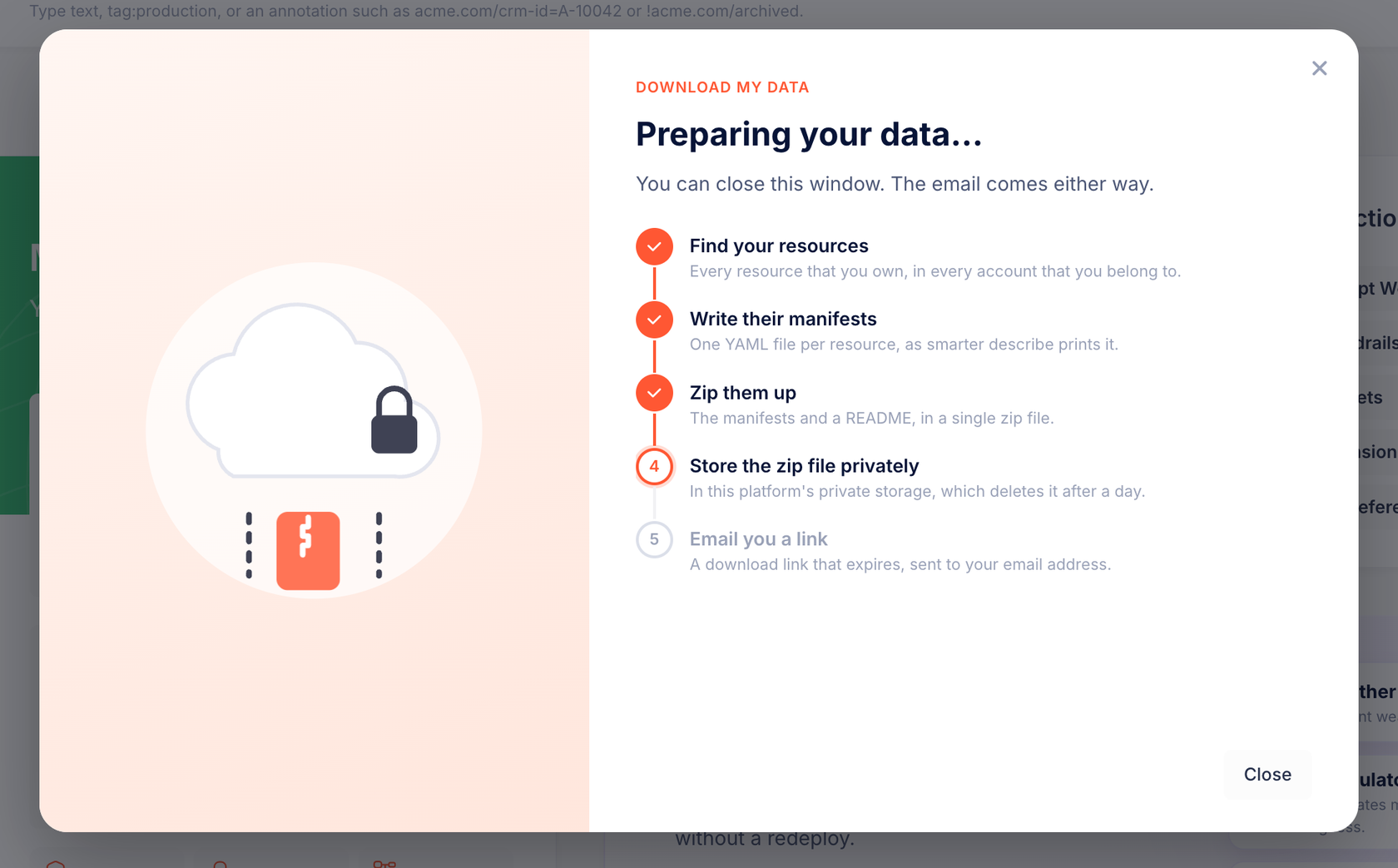
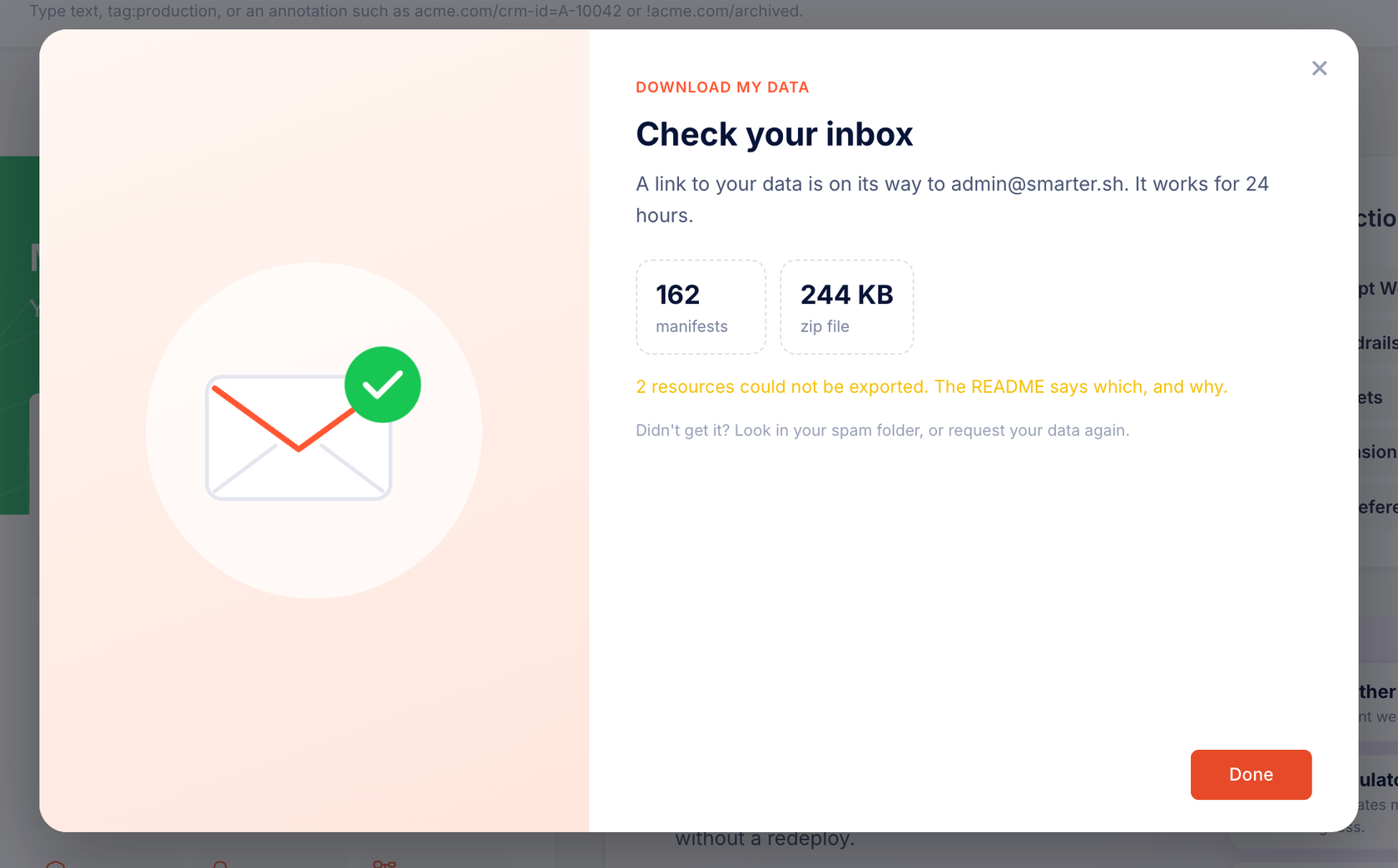
You don’t have to wait for it. The export runs in a background Celery task, so you can close the dialog at any time and the email comes anyway. Open the dialog again while it’s still running and it picks up where the export is. When it finishes, the dialog tells you how many manifests went into the zip file and how large it is. Mine came to 162 manifests in a 244 KB zip file. Two resources couldn’t be described, and the dialog says so, while the README says which ones and why.
Your secrets stay secret
A Secret’s manifest, as smarter describe returns it, holds its value in plaintext. That’s fine when you’re the one running describe. It isn’t fine in a zip file whose link travels by email, because emails get forwarded, and forwarded again. So the export replaces each Secret’s spec.config.value with a placeholder that tells you what to do about it.
apiVersion: smarter.sh/v1
kind: Secret
metadata:
  name: example_secret
  description: an example secret manifest for the Smarter API Secret
  version: 1.0.0
spec:
  config:
    expiration_date: "2030-12-31T00:00:00Z"
    value: "<redacted: set the value again before you apply this manifest>"
Everything else about the Secret is kept, so its manifest is ready to apply again once you fill the value back in. The rest of your manifests hold no credentials to begin with. LLMClients, Plugins and the other kinds refer to Secrets by name, and Providers mask their keys. Before shipping this, I checked an export of 153 resources for anything that looked like a credential, and the Secrets were the only place one appeared. Which is a relief, because the alternative is a zip file of API keys in somebody’s forwarded email. 😬
Where the zip file lives, and for how long
The zip file never sits anywhere public. Each Smarter environment already has an S3 bucket, but that bucket serves the chat widget and static files through a CDN, so every object in it is public-read. A link to a file there would never expire, which defeats the point of a link that expires.
So each environment now has a second, private bucket next to it. It blocks all public access, encrypts every object, refuses requests that don’t use TLS, and deletes exports after a day on its own. The emailed link is an S3 presigned URL that stops working after 24 hours, and a Celery Beat task runs every six hours to delete any zip file whose link has expired, in case the bucket’s own rule hasn’t got to it yet.
The email has no blind copy to the platform administrator, because the link is the only key to the file. Smarter does keep a record of each export, read-only in the Django admin, so an administrator can see who exported their data and when, but not the data itself.
Limits
- Five exports a day. You can start five in any 24 hours. Each one is a full copy of everything you own, so you rarely need more than one.
- One at a time. If an export is already running, asking for another shows you the one in progress instead of starting a second.
- An email address is required. The link has to go somewhere. If your account has none, the dialog says so before you start.
- A broken resource doesn’t sink the export. If a resource can’t be described, the export carries on without it, and the README names it and says why.
For developers
The dialog calls three routes of the web console’s account API, GET /api/web/account/data-export/ for what to say before you start, POST to start an export, and GET /api/web/account/data-export/<id>/ to follow its progress. The private storage is a new service in Smarter’s cloud-agnostic infrastructure layer, infrastructure.storage, with an S3 implementation for AWS and an in-memory one for tests and local development. Neither the export nor its tests call the AWS SDK directly. The Download My Data docs page has the details and the technical reference, and the code is in smarter/apps/account/data_export.py.
The dialog is translated into Spanish, French and Brazilian Portuguese, like the rest of the console, and so is the email, which arrives in the language of your profile.
Try it
Sign in to your Smarter platform, click your profile image in the top right corner, and choose Download My Data. A few seconds later you’ll have everything you’ve built, in one zip file, as manifests you can read, diff and apply anywhere.