
Your First AI Application With Smarter, Part 8: Controlling LLM Costs With Budgets, and Auditing With the Journal

A Smarter Budget is a spending limit, declared in a YAML manifest, that refuses an AI application’s prompts once it has spent its allowance, in dollars or in tokens, per hour, day, week or month. In Part 7, Stanley, Stackademy’s course advisor, went live on Stackademy’s website. He’s public now, and every answer he gives is charged to you. In this last part of the series, you’ll find out what an answer costs, give Stanley a daily allowance and watch it stop him, and read the record of everything he and you have done.
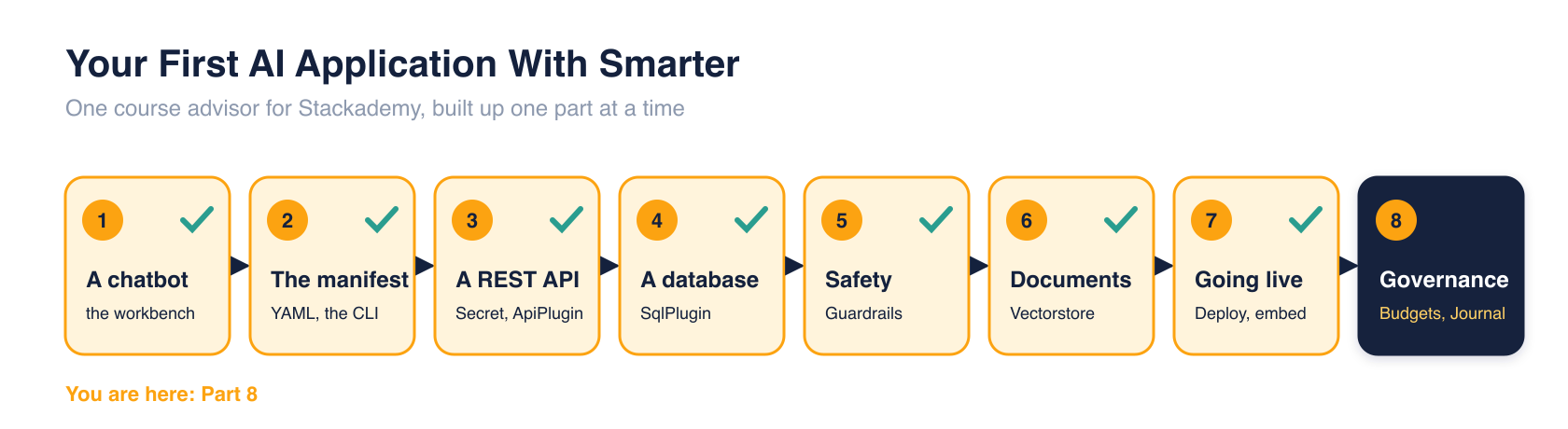
You need Smarter 0.47.4 or later, which comes with the prices of its built-in providers’ default models, and keeps the Journal from the start.
What one answer costs
Every model call is recorded as a charge, with its tokens, and priced at its model’s price per million tokens. Your platform starts with the prices of each built-in provider’s default model, as the provider publishes them. Stanley’s model, OpenAI’s gpt-6-luna, costs $0.10 per million input tokens and $0.50 per million output tokens. Smarter stores one blended price per model, at three input tokens to one output token, so it charges $0.20 per million tokens. You can change any price, or add one, in the Django admin’s LLM prices.
Ask Stanley a question about the courses, and his answer usually takes two model calls. In the first, the model decides to look something up, and in the second, it answers with what it found. Together they come to about 1,900 tokens, the system prompt, the tools’ descriptions, the question and the catalogue’s answer included. That’s about $0.0004, or a twenty-fifth of a cent.
Your account’s usage api adds it all up, by the hour.
curl -H "Authorization: Token <YOUR-API-KEY>" \
  "http://localhost:9357/api/v1/accounts/usage/?periodicity=24_hours"
{
  "period_start": "2026-11-23T20:00:00Z",
  "records": 17,
  "prompt_tokens": 8656,
  "completion_tokens": 306,
  "total_tokens": 8962,
  "total_cost": 0.0011012
}
A fraction of a cent an answer is nothing, until a public chatbot is asked a hundred thousand questions, by students, by a script that someone pointed at it, or by a loop in someone else’s code. A budget sets the limit before that happens.
Give Stanley a budget
Start with a small budget, so that you can see it work. Save this as course-advisor-daily.yaml.
apiVersion: smarter.sh/v1
kind: Budget
metadata:
  name: course_advisor_daily
  description: Stanley's daily allowance, so that a public chatbot can't run up an unlimited bill.
  version: 1.0.0
spec:
  config:
    unit: tokens
    period: day
    periodicLimit: 5000
    action: block
    warningThreshold: 80
    message: Stanley has answered all the questions he can for today. Please come back tomorrow.
  resources:
    - kind: LLMClient
      name: course_advisor
unitis what the limit measures,tokensorcost, in US dollars to the cent.periodandperiodicLimitare the allowance, 5,000 tokens a day, which starts again at midnight UTC. AnabsoluteLimitwould cap the total, over every period.action: blockrefuses Stanley’s prompts once the limit is reached.warnwould only send a warning, for example to notify an administrator.warningThresholdsends that warning at 80% of the limit, once a period.messageis what a student reads instead of an answer.resourcesare what the budget is attached to. A budget can watch an LLMClient, a user, a whole account, a provider, a plugin or an MCP server, and one budget can watch several.
Apply it.
smarter apply -f course-advisor-daily.yaml
Budgets are for administrators, so only a superuser can apply one. On your own platform, admin@smarter.sh is one.
Spend it
Open Stackademy’s page from Part 7, at http://localhost:8000, and ask Stanley a few questions. Each one adds to his budget, which describe reports.
smarter describe budget course_advisor_daily
| Question | Spent today |
|---|---|
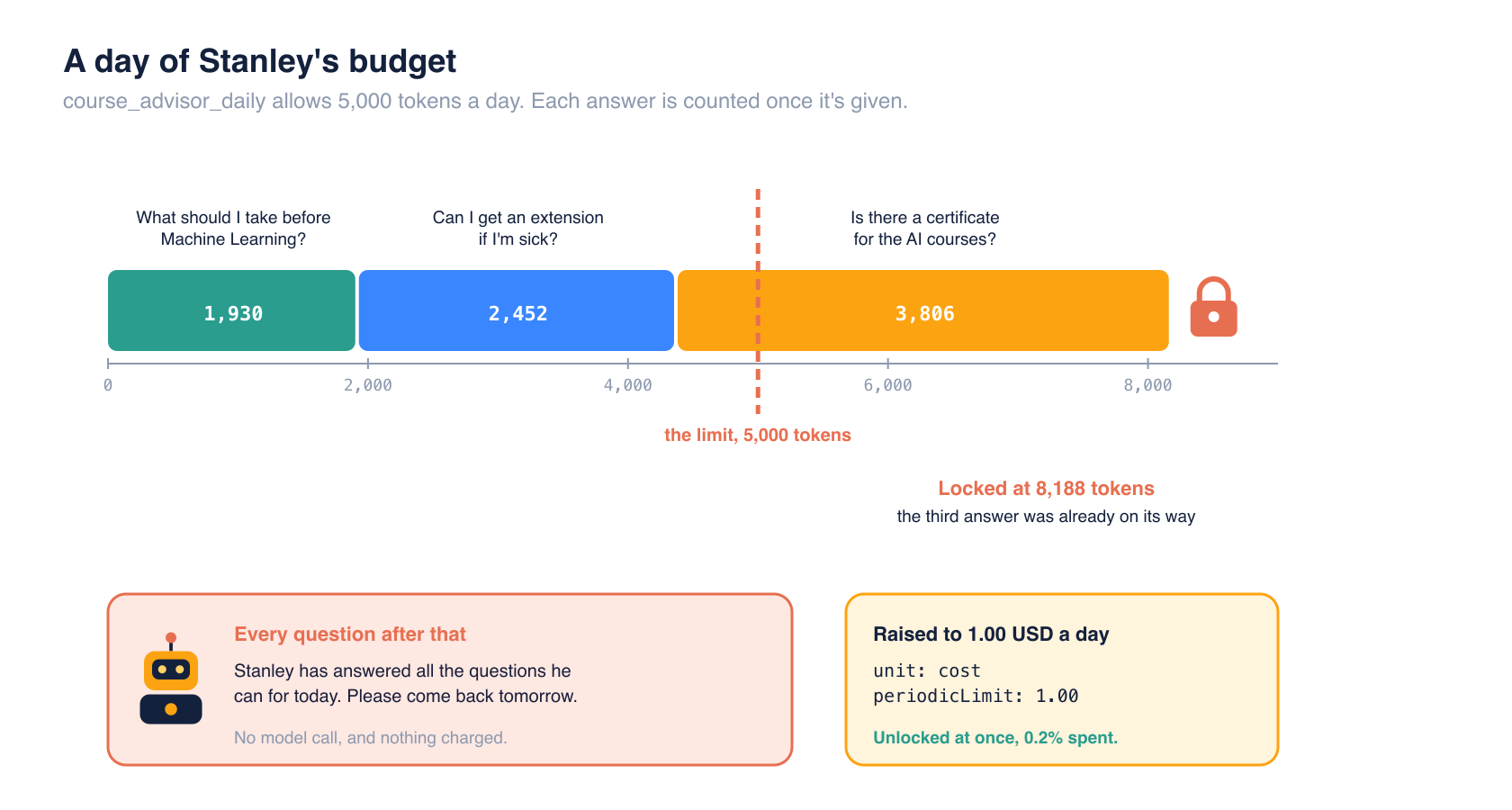
| What should I take before Machine Learning, and what will it cost? | 1,930 tokens, 39% |
| Can I get an extension on my course if I’m sick? | 4,382 tokens, 88% |
| Is there a certificate for the AI courses? | 8,188 tokens, 164% |
Stanley answered all three. He had spent less than his limit when the third question arrived, and Smarter records charges just after each answer, so a budget can run over by one answer before it locks. Then it locks him.
isLocked: true
lockReason: "Budget course_advisor_daily: the daily limit of 5,000 tokens has been reached (8,188 tokens this day). It renews at 2026-11-24 00:00 UTC."
Ask him anything else, and the budget answers for him, without calling the model.
Stanley has answered all the questions he can for today. Please come back tomorrow.
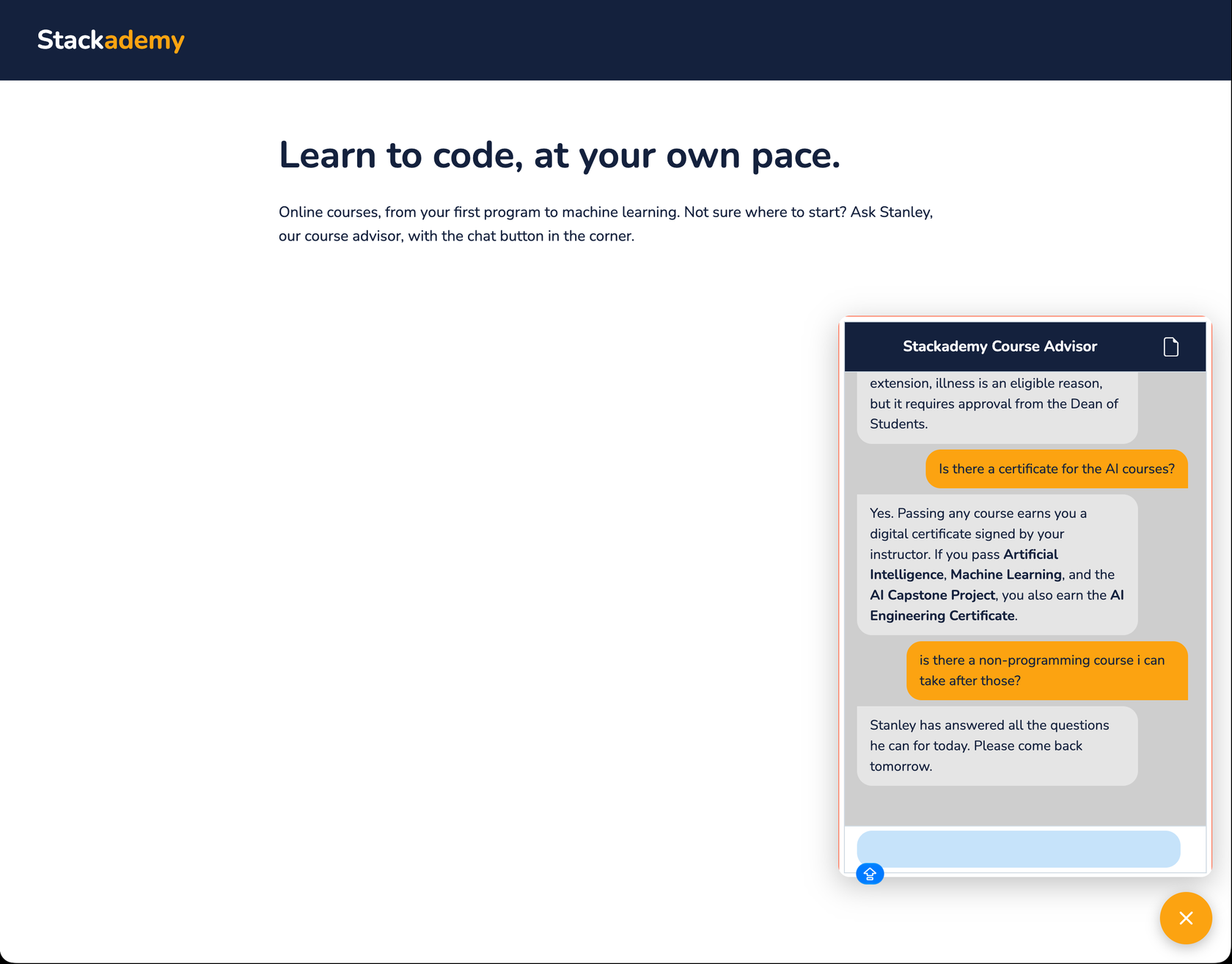
The lock applies wherever Stanley is reached from outside the workbench, on Stackademy’s page and at his url.
Give him a real allowance
Five thousand tokens a day is too small for anything but a test. Change the budget to measure dollars, allow him $1.00 a day, and change its version to 1.1.0.
spec:
  config:
    unit: cost
    period: day
    periodicLimit: 1.00
smarter apply -f course-advisor-daily.yaml
git add .
git commit -m "A daily budget for Stanley"
The lock lifts as soon as the budget is applied, because Stanley has now spent about $0.0016 of his $1.00. At about $0.0005 an answer, that’s more than 1,500 questions a day. Budgets are declarative, like everything else in this series. Applying the manifest again changes the limit, and a resource that you remove from resources is no longer watched.
Watch what he spends
The web console shows the spending of every budget. Click Budgets, under Governance in the sidebar, then course_advisor_daily. Its page is its manifest, which you can edit and apply there, and below it, its status. For each resource that the budget watches, the status says what it has spent this period and in total, the percentage of its limit, and whether it’s locked, and why.
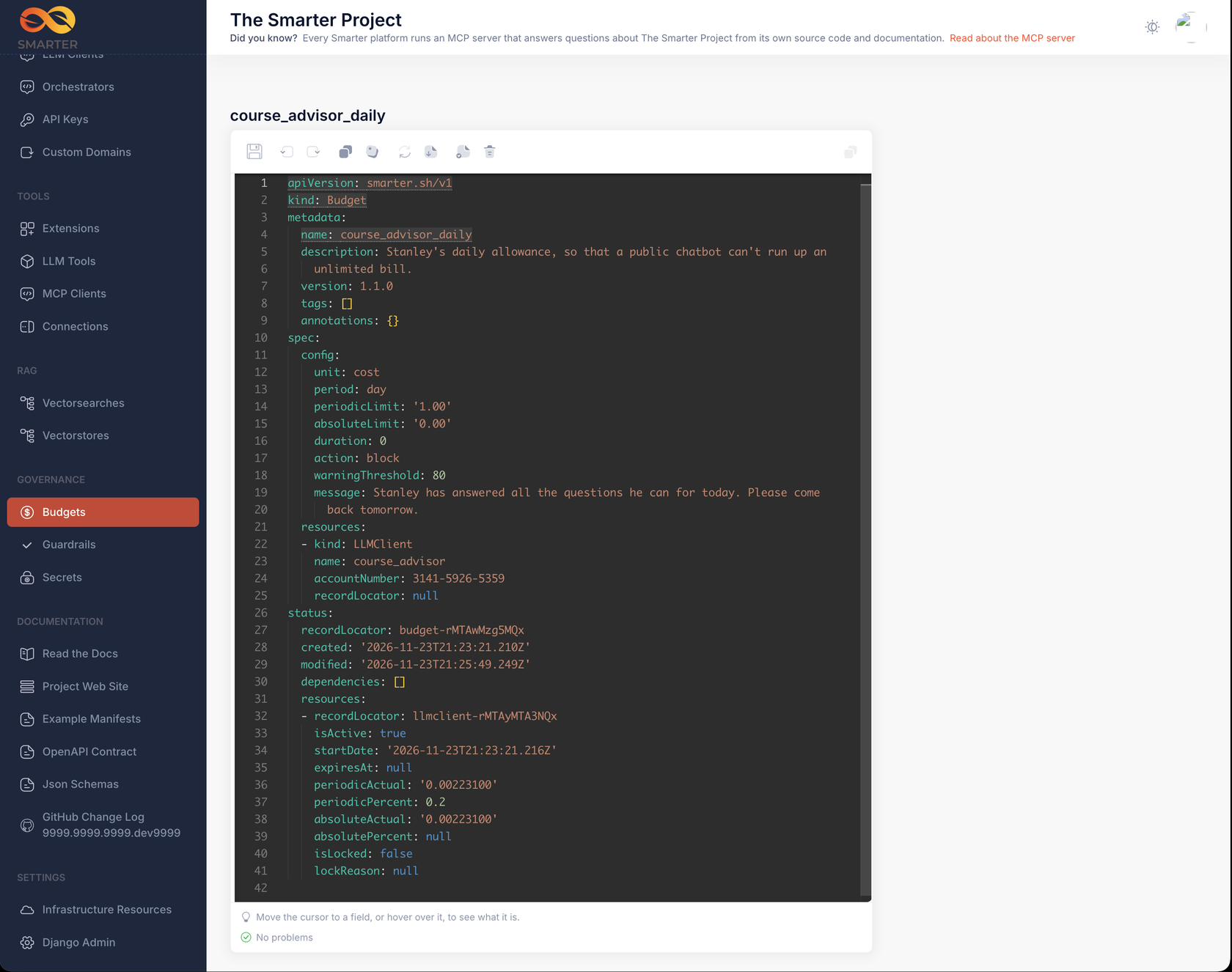
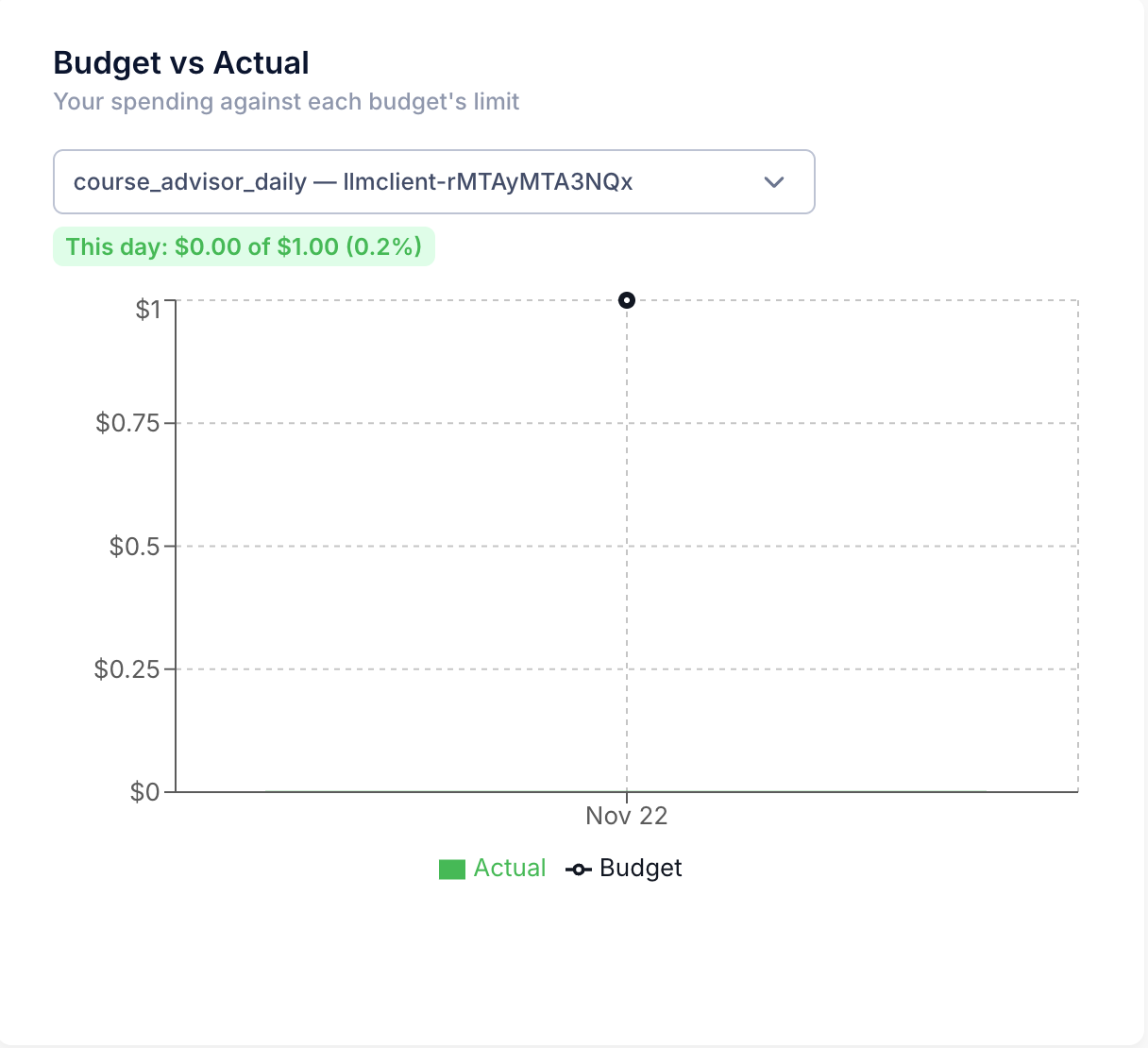
The dashboard’s Budget vs Actual chart draws one budget’s spending against its limit. Its list offers every budget that applies to you, or to what you own, for each resource that it watches. Choose course_advisor_daily. The chart rounds to the cent, so Stanley’s $0.0022 shows as $0.00, 0.2% of his $1.00.
Read the Journal
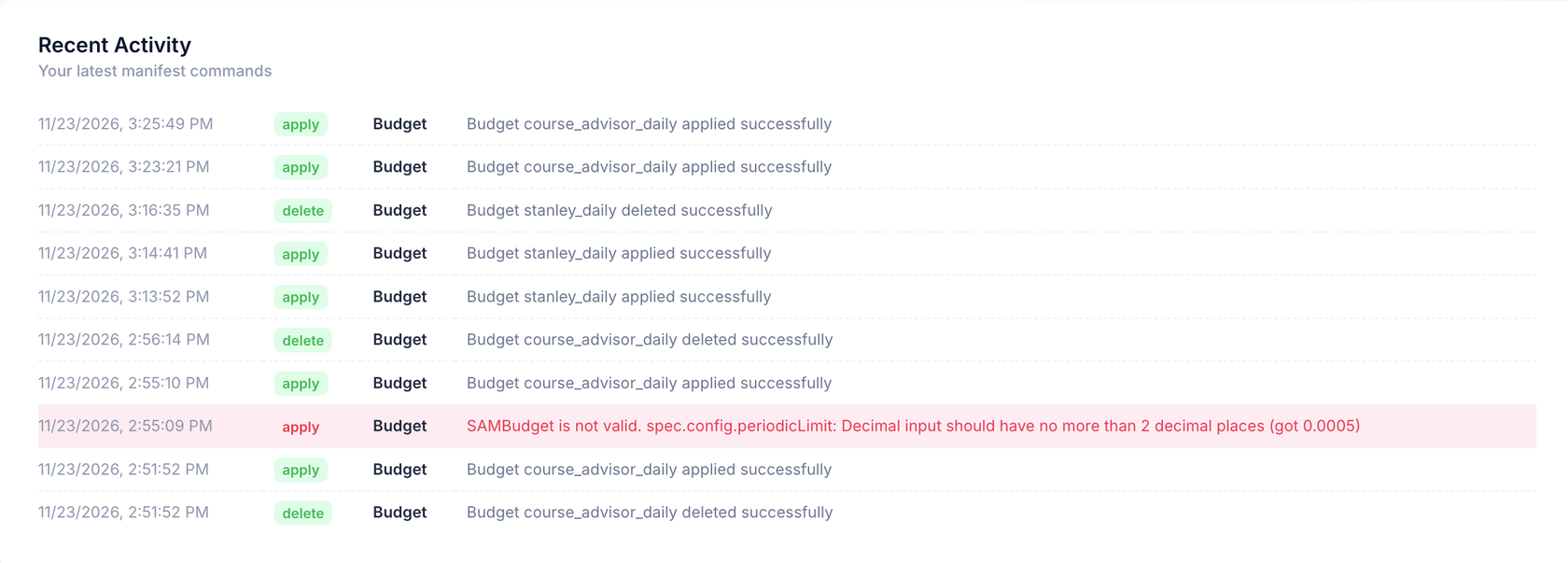
The Smarter Journal records every command sent to Smarter’s api, and every prompt, with who sent it, when, and how it ended. It’s the platform’s audit trail, and it’s on from the start. The dashboard’s Recent Activity shows its latest commands, such as the apply of your budget, and its api lists every entry.
curl -H "Authorization: Token <YOUR-API-KEY>" "http://localhost:9357/api/v1/journal/"
createdAt            user   thing       command      statusCode
2026-11-23 21:14:41  admin  Budget      apply        200
2026-11-23 20:56:14  admin  Budget      delete       200
2026-11-23 20:55:45  -      LLMClient   prompt       200
2026-11-23 20:55:45  -      ChatConfig  chat_config  200
A student’s prompt on Stackademy’s page has no user, because Stanley is public. Every change that you made in this series, each apply and deploy, has yours, and so does each one that failed. Recent Activity shows a refused apply in red, with the reason.
What you built
Over eight parts, Stanley grew from a system prompt into a governed application, and every piece of him is a manifest in your git repository.
| Part | What Stanley gained | Resources |
|---|---|---|
| 1 | A personality and a model, in the workbench | LLMClient |
| 2 | A manifest, and Stackademy’s colors | LLMClient |
| 3 | Stackademy’s course catalogue, through its REST api | Secret, ApiConnection, ApiPlugin |
| 4 | The prerequisites, from its SQL database | Secret, SqlConnection, SqlPlugin |
| 5 | Safety, and a subject he sticks to | Guardrails |
| 6 | The student handbook, searched by meaning | Vectorstore, Vectorsearch |
| 7 | His own url, and a place on Stackademy’s website | Deployment, Smarter Chat |
| 8 | An allowance, and an audit trail | Budget, Journal |
Nobody wrote a line of Python to build him. Each step was a short YAML file, checked when it was applied, and each could be reviewed, versioned and rolled back like code. That’s the point of Smarter: people who know what an application should do, but aren’t programmers, can build one that’s safe to put in front of real users, and organizations can see and govern what it does.
It’s also why Smarter is used to teach AI. Everything in this series, tools, retrieval, guardrails, deployment and cost control, is something students can build in a classroom on a real platform, and keep using afterwards. If you teach, the Instructor Guide and the Free Course Catalog start where this series ends.